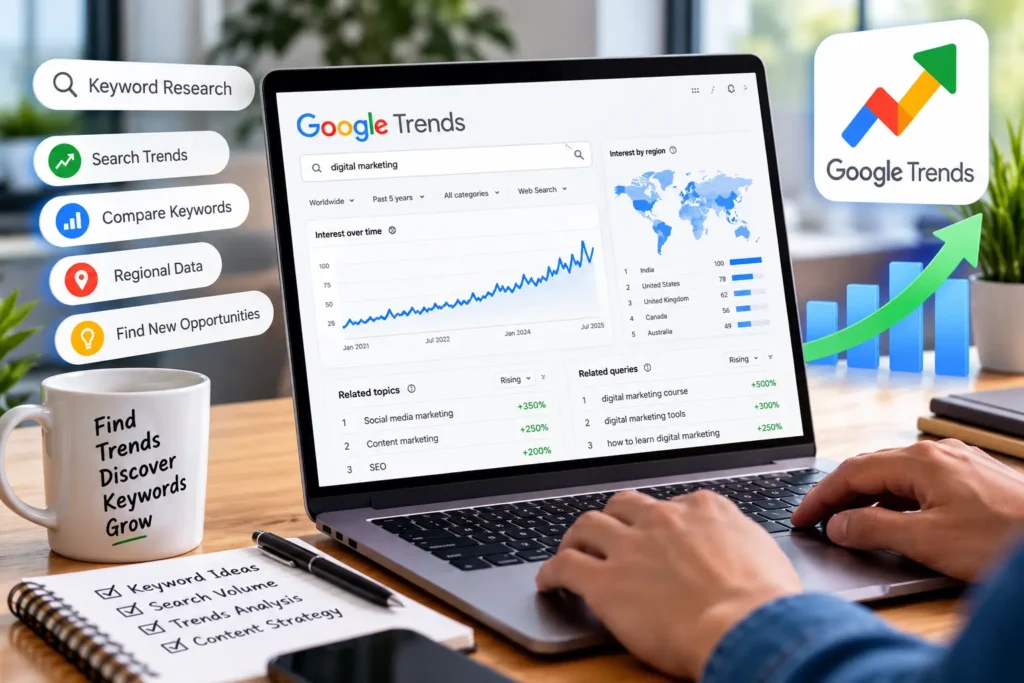
Keyword research is one of the most important parts of SEO and content marketing. But finding keywords with good search potential is not only about checking search volume and keyword difficulty. You also need to understand what people are searching for, when interest increases, where searches are coming from, and whether a topic is growing or declining.
This is where Google Trends can be useful.
If you are wondering how to use Google Trends for keyword research, this guide will walk you through the process step by step. You will learn how to compare keywords, identify seasonal trends, discover related searches, find rising topics, understand local search interest, and turn trend data into useful content ideas.
Google Trends should not replace traditional keyword research tools. Instead, it works best as a complementary tool that helps you understand search behavior and identify opportunities that may otherwise be overlooked.
What Is Google Trends?
Google Trends is a free tool from Google that shows how search interest for a topic or search term changes over time.
Instead of providing a traditional monthly search-volume figure, Google Trends uses a relative scale from 0 to 100 to represent search interest during a selected period and location.
For example, if a keyword reaches a value of 100, it means the term reached its highest relative search interest within the selected timeframe and location. A value of 50 represents approximately half the relative interest compared with that peak.
Google Trends can help you analyze:
- Search interest over time
- Geographic search interest
- Related topics
- Related queries
- Rising searches
- Seasonal patterns
- Interest in different search terms
- Emerging content opportunities
This makes Google Trends particularly useful for SEO professionals, bloggers, content writers, marketers, and website owners.
Why Use Google Trends for Keyword Research?
Traditional keyword research tools are excellent for finding metrics such as search volume, keyword difficulty, traffic potential, and related keywords.
However, these metrics do not always tell you whether interest in a topic is increasing or declining.
Google Trends adds another layer of information.
1. Understand Search Trends
A keyword may have consistent search volume, while another topic may be rapidly gaining popularity. Google Trends helps you identify these changes.
2. Identify Seasonal Keywords
Some keywords become popular during specific months, holidays, events, or seasons.
For example, searches related to:
- Christmas gifts
- Valentine’s Day
- Tax filing
- Summer travel
- Black Friday
can experience significant changes throughout the year.
Understanding this pattern helps you publish content before search interest reaches its peak.
3. Compare Keywords
Sometimes several keywords have similar meanings but different levels of popularity. Google Trends allows you to compare them and understand which term has greater relative interest.
4. Discover Content Opportunities
Related topics and queries can reveal questions and subjects people are currently searching for. These can become blog posts, guides, FAQs, videos, or social media content.
5. Understand Geographic Interest
Google Trends can show where interest in a particular search term is strongest. This is useful for local SEO and location-specific content strategies.
How to Use Google Trends for Keyword Research
The process is relatively simple. However, the value comes from knowing how to interpret the data rather than simply looking at a graph.
Here is a practical process you can follow.
Step 1: Start With a Keyword or Topic
Visit Google Trends and enter a keyword related to your business, website, or content topic.
For example, if you run an SEO website, you could search for:
blogger outreach
Google Trends will display information about the search interest for that term.
You can then adjust the settings for:
- Location
- Time period
- Category
- Search type
These filters are important because search behavior can vary significantly by country and time period.
Step 2: Choose the Right Location
Google Trends allows you to analyze search interest globally or within a specific country or region.
If your audience is primarily in the United States, selecting the United States can provide more relevant insights than looking at worldwide data.
The same applies to businesses targeting India, the UK, Canada, Australia, or specific cities and regions.
For local SEO, geographic filtering can help you identify where interest in a topic is strongest.
Step 3: Select an Appropriate Time Range
Google Trends lets you examine search interest across different periods.
Depending on your goal, you might analyze:
- Past 12 months
- Past 5 years
- Past 90 days
- Past 30 days
- A custom period
A longer timeframe is useful for identifying long-term patterns.
A shorter timeframe can help you identify recent changes and emerging topics.
For evergreen SEO content, looking at several years of data can be especially useful because it helps you distinguish a temporary spike from a consistent trend.
How to Compare Multiple Keywords in Google Trends
One of the most useful features of Google Trends is keyword comparison.
Suppose you are deciding whether to create content around:
- blogger outreach Services
- guest posting
- link building
- content marketing
Instead of analyzing each keyword separately, you can compare them within Google Trends.
The comparison graph can help you see which terms have stronger relative search interest and whether their popularity changes over time.
However, avoid assuming that the keyword with the highest Trends score is automatically the best SEO keyword.
Search interest is only one part of keyword research.
You should also consider:
- Search intent
- Search volume
- Keyword difficulty
- Business relevance
- Competition
- Conversion potential
- Existing search results
The best keyword is often the one that balances search demand with relevance and realistic ranking potential.
How to Analyze Search Interest Over Time
The Google Trends graph is particularly useful for identifying the direction of a topic.
Look for three basic patterns.
Stable Interest
If interest remains relatively consistent over a long period, the keyword may represent an evergreen topic.
These topics can be suitable for long-term SEO content.
Growing Interest
If the graph gradually moves upward, the topic may be gaining popularity.
Creating useful content early can help you establish topical relevance before competition becomes stronger.
Declining Interest
A consistent decline may indicate that a topic is losing popularity.
This does not automatically mean you should avoid it. A declining topic can still be valuable if it has strong business relevance or continues to generate meaningful searches.
The important point is to understand the trend before investing heavily in content.
How to Identify Seasonal Keywords
Seasonality is one of the strongest use cases for Google Trends.
Some keywords experience predictable increases at certain times of the year.
For example, searches for “Christmas decorations” naturally increase toward the holiday season.
If you publish an article immediately when search interest peaks, you may already be late.
Instead, use Google Trends to identify when interest starts increasing.
Then prepare and optimize your content before the seasonal demand arrives.
This approach can be useful for:
- E-commerce websites
- Travel websites
- Food blogs
- Finance websites
- Event businesses
- Fashion websites
- Local businesses
The goal is to understand when your audience starts searching, not simply when searches reach their highest point.
How to Find Related Topics and Queries
Google Trends can also help you discover related search ideas.
After entering a keyword, review the Related topics and Related queries sections.
These suggestions can reveal:
- New content angles
- Long-tail keyword ideas
- Frequently searched questions
- Emerging topics
- Closely related concepts
For example, if you are researching “blogger outreach,” related searches might lead you toward topics involving outreach strategies, guest posting, link building, outreach tools, or blogger relationships.
These ideas can help you build a broader content strategy instead of publishing isolated articles.
How to Use Google Trends for Local Keyword Research
Local businesses can use Google Trends to understand search interest in different geographic locations.
Suppose you provide digital marketing services and want to know where interest in a particular service is strongest.
You can enter the keyword into Google Trends and examine interest by country, state, or region where the available data supports that level.
This can help with:
- Local landing pages
- Regional content
- Location-specific blog posts
- Local advertising research
- Market expansion decisions
For example, a business targeting several cities could compare search interest between those locations before deciding where to focus its content and marketing efforts.
However, remember that Google Trends represents relative interest, not the actual number of searches from each location.
How to Find Rising Search Terms
Google Trends can help you identify topics that are gaining attention.
The Rising section under related queries can be particularly useful for content research.
A rising query may indicate that people are increasingly interested in a particular topic.
These keywords can be valuable for:
- News-style content
- Industry blogs
- Social media content
- Trend-based articles
- Product content
- Emerging technology topics
But be careful with short-lived trends.
A topic can experience a sudden spike and then disappear quickly. Before creating a large piece of evergreen content, check whether the trend has sustained interest.
How to Use Google Trends for Content Ideas
Google Trends can become a valuable part of your content planning process.
Instead of starting with random blog topics, use search trend data to identify subjects that align with audience interest.
For example, you can:
- Start with a broad industry topic.
- Enter it into Google Trends.
- Review related topics and queries.
- Identify growing search terms.
- Compare several potential topics.
- Check seasonality.
- Validate the keywords using a traditional keyword research tool.
- Create content that matches the search intent.
This process helps combine trend data with conventional SEO research.
For example, if you discover that interest in a particular SEO topic is increasing, you could create a detailed guide, supporting FAQ content, and related articles around the subject.
How to Use Google Trends for SEO
Google Trends can support several areas of an SEO strategy.
Content Planning
Use trending topics and related queries to build a content calendar.
Keyword Selection
Compare similar keywords and identify which terms show stronger search interest.
Seasonal SEO
Plan content before seasonal demand increases.
Competitor and Industry Research
Compare topics or brand-related searches to understand broader market interest.
Local SEO
Analyze geographic interest and use the findings to guide regional content.
Content Refreshes
If an older article covers a topic that is gaining renewed interest, consider updating and expanding the page.
Google Trends is therefore best viewed as a search behavior research tool that supports SEO decisions.
Google Trends vs. Traditional Keyword Research Tools
Google Trends and traditional keyword research platforms serve different purposes.
Traditional SEO tools generally provide data such as:
- Estimated monthly search volume
- Keyword difficulty
- Cost per click
- Traffic potential
- Keyword variations
- SERP information
- Competitor rankings
Google Trends focuses more on relative search interest and changes in search behavior.
For this reason, you should not use Google Trends alone.
A better workflow is:
Google Trends → Keyword validation → SERP analysis → Content creation
For example, Google Trends might show that a topic is becoming more popular. You can then use an SEO keyword research tool to check search volume and competition before deciding whether the topic deserves a dedicated page.
Common Google Trends Keyword Research Mistakes
Google Trends is powerful, but it is easy to misinterpret the data.
Mistake 1: Treating Trends Score as Search Volume
A score of 100 does not mean 100 searches.
It represents the highest relative interest for the selected parameters.
Mistake 2: Ignoring Search Intent
A trending keyword is not necessarily useful for your business.
Always ask what the searcher wants to accomplish.
Mistake 3: Looking Only at Short-Term Trends
A sudden spike may be caused by news or a temporary event.
Check longer timeframes before deciding that a topic is permanently growing.
Mistake 4: Ignoring Location
Worldwide data may not represent your target audience.
Use the appropriate country or region whenever possible.
Mistake 5: Using Google Trends as Your Only Keyword Tool
Trends data should complement, not replace, traditional keyword research.
Mistake 6: Chasing Every Trending Topic
Not every trend is relevant to your audience.
Focus on topics that connect with your niche, expertise, and business goals.
Practical Google Trends Keyword Research Example
Let’s say you operate an SEO website and want to create content around blogger outreach.
Start by entering blogger outreach into Google Trends.
Next, analyze:
1. Search interest over time
Look for consistent growth, seasonal behavior, or unusual spikes.
2. Geographic interest
Check which locations show stronger relative interest.
3. Related topics
Look for broader subjects connected to blogger outreach.
4. Related queries
Identify specific questions and long-tail searches that could become content topics.
5. Rising queries
Look for emerging topics that may provide early content opportunities.
After collecting these ideas, move to a traditional keyword research platform to evaluate search volume, competition, and keyword difficulty.
Finally, check the current Google search results to understand what type of content Google is ranking.
If the topic is commercially relevant, you can also naturally connect the content to services such as blogger outreach services or relevant guest posting solutions where they genuinely help the reader.
This approach prevents you from creating content simply because a keyword is trending. Instead, you are using trend data as one part of a broader SEO decision-making process.
A Simple Google Trends Keyword Research Workflow
If you are new to Google Trends, use this simple workflow:
Find a topic → Check Google Trends → Compare keywords → Analyze the timeframe → Check seasonality → Explore related queries → Review geographic interest → Validate with an SEO tool → Analyze SERPs → Create content
This process combines search trend analysis with conventional SEO research.
Over time, you can also use Google Trends to monitor your industry and identify new opportunities before they become highly competitive.
Frequently Asked Questions
Is Google Trends good for keyword research?
Yes. Google Trends is useful for understanding search interest, keyword popularity over time, seasonality, geographic demand, and emerging topics. However, it should be used alongside traditional keyword research tools.
Is Google Trends free?
Yes. Google Trends is available as a free tool and can be used to explore search interest across different topics, locations, and time periods.
Does Google Trends show exact search volume?
No. Google Trends generally shows relative search interest on a scale from 0 to 100 rather than exact monthly search volume.
Can Google Trends help with SEO?
Yes. Google Trends can support SEO by helping you identify growing topics, seasonal keywords, related searches, geographic opportunities, and potential content ideas.
Can I compare keywords in Google Trends?
Yes. Google Trends allows you to compare multiple search terms so you can evaluate how their relative search interest changes over time.
How do I find trending keywords on Google Trends?
Enter a relevant topic or keyword and examine the related queries and topics sections. The “Rising” results can help identify searches that are gaining interest.
Can Google Trends be used for local SEO?
Yes. You can use geographic filters to understand relative search interest across different locations and use those insights when planning local content.
Should Google Trends replace Ahrefs or other keyword tools?
No. Google Trends and traditional SEO tools like ahrefs, semrush provide different types of information. The strongest keyword research process combines trend analysis with search volume, competition, SERP, and intent data.
Final Thoughts
Learning how to use Google Trends for keyword research can make your SEO research more strategic.
Instead of looking only at static keyword metrics, you can understand how search behavior changes over time. You can identify seasonal opportunities, compare keywords, discover related searches, analyze geographic interest, and find emerging topics that may be worth covering.
The key is not to treat Google Trends as a standalone keyword research solution. Use it together with keyword research tools, SERP analysis, competitor research, and your understanding of the target audience.
When these sources of information are combined, Google Trends becomes a valuable tool for finding better content opportunities and building a more informed SEO strategy.

Narender Malik is an SEO strategist with 8 years of experience building search growth through technical SEO, authority-driven link building, and strategic blogger outreach. He takes a data-led approach to off-page SEO, identifying the right opportunities, publishers, and digital ecosystems to strengthen brand authority and organic performance. His work focuses on building sustainable SEO assets that deliver meaningful visibility, qualified traffic, and long-term growth.